Start a site
Create a workspace, then open its folder and run primo new my-site to create a site. Start from a starter or build your own blocks.
$ npx primo-cli init my-workspace
Build with your agent.
Edit in the browser.
Work on your site locally as Svelte components and YAML files. Deploy it with Primo’s editor so clients can update content, arrange the blocks you’ve made available, and create pages from the page types you define.
Set up a local workspace, build your site, then deploy it with an editable CMS. You can run the commands yourself or ask an agent with access to your workspace to run them.
Create a workspace, then open its folder and run primo new my-site to create a site. Start from a starter or build your own blocks.
$ npx primo-cli init my-workspace
Open the workspace in Claude Code, Cursor, Codex, or your preferred coding agent. Ask it to change components, content, fields, or page types. Run primo dev from the workspace folder to preview changes in the browser as you work.
$ primo dev
Use primo deploy to set up a hosted CMS on Railway or Fly. Follow the setup prompts, then open the hosted editor. For later updates, primo push saves a draft; primo push --publish uploads your changes and publishes them.
$ primo deploy
Clients sign in through the browser to edit text and images on the page, arrange available blocks, and create pages using your page types. They can preview and publish their updates without using the terminal.
Already have a hosted Primo site? Use primo pull to bring its latest files to your machine before making changes. Read the setup docs for installation, authentication, and hosting requirements.
Local files and the hosted site can diverge. If the server has changed since your last sync, primo push stops rather than replacing those edits. Save your local work before pulling the latest version, then reconcile the changes and push again. Coordinate overlapping edits with your client.
No. Clients sign in to the browser editor to update content, arrange available blocks, create pages, and publish. Fields that aren’t editable directly on the page are available in a form.
Each block declares its editable fields in fields.yaml alongside its Svelte component. Primo uses those definitions to build the editing controls. Page types define page fields, shared layouts, and which blocks clients can add.
Your local workspace contains the Svelte components and YAML files for content, fields, and page types. The hosted CMS stores content and configuration in its database. primo pull brings the hosted site back to local files; primo push sends your local changes to the hosted draft.
You keep your project files, and Primo’s MIT license lets you continue self-hosting it. Moving to a different CMS means adapting your components and content to that system. If you only need a static site, primo build generates files you can host elsewhere, without Primo’s editor.
Files for your agent.
Buttons for your clients.
Pull your entire site as files.
Pages, page types, components, content, and fields—all local on your machine.
Choose a prompt to open your private starter and explore its files.
Build with any agent.
Change the design, copy, or features with your AI tool.
Hand it off to your client.
Push to your server. Clients edit, add pages, and publish.
Try the real editor.
Use a prompt, or make a change yourself.Working with an agent
Bring a site, a brief, or an idea. See what your agent can turn it into—and what your client can edit.
Give your agent the current site and its content. Bring the pages and design into Primo, with editing fields for your client.
“Rebuild my current site in Primo, keeping its content and overall design.”
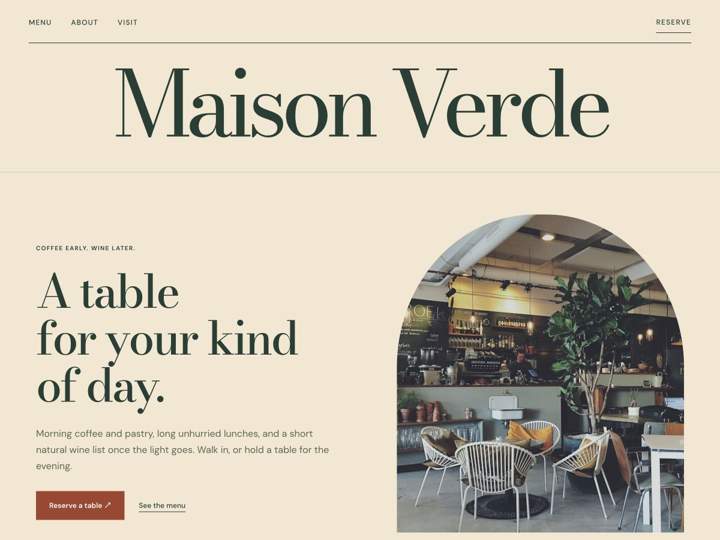
“Rebuild my current site in Primo, keeping its content and overall design.”
Share a brief, documents, or meeting notes. Ask your agent to organize the material and draft the pages your site needs.
“Use this brief and these documents to draft our story, menu, and private dining pages.”
Neighborhood café + wine bar
Seasonal menu, local growers
Private dinners: 8–20 guests
Warm, welcoming, no fuss
Seasonal food, good wine, and a room of your own. Gather 8–20 guests for an evening at Maison Verde.
Plan your evening ↗“Use this brief and these documents to draft our story, menu, and private dining pages.”
Try a new layout, palette, or type style. Compare a few directions before choosing one to take further.
“Show me three directions for this homepage, using the same copy.”

“Show me three directions for this homepage, using the same copy.”
Help visitors work out the cost before they enquire. Your agent builds the calculator; your client updates the menus and prices in Primo.
“Build a private dining calculator with guest count, menu choices, and an optional drinks package. Show an itemised estimate and let visitors copy their choices into an enquiry.”
“Build a private dining calculator with guest count, menu choices, and an optional drinks package. Show an itemised estimate and let visitors copy their choices into an enquiry.”
Help people recognise your site in search results and shared links. Your agent can improve page titles, descriptions, preview images, and image descriptions.
“Review our site’s search and sharing metadata. Improve page titles and descriptions, choose social preview images, and add useful image descriptions.”
Gather 8–20 guests for seasonal food, natural wine, and a room of your own. Plan your evening at Maison Verde.
“Review our site’s search and sharing metadata. Improve page titles and descriptions, choose social preview images, and add useful image descriptions.”
Turn a page into a template with fields for the details that change. Your client can create the next one without starting from scratch.
“Turn our private dining page into a reusable template so my client can add new dining packages.”
Fields for every package
Seasonal plates to share, a few good bottles, and an afternoon of your own.
Enquire about your date ↗“Turn our private dining page into a reusable template so my client can add new dining packages.”
Ask your agent to walk through the site, find broken links, check small screens, and try the forms. Get fixes plus a clear report of what was checked.
“Check our site before launch. Look for broken links, mobile layout problems, and unclear form feedback. Fix what you find and check the changes again.”
The button now opens the correct private dining page.
A compact menu keeps every page reachable on phones.
Missing email is flagged clearly before submission.
“Check our site before launch. Look for broken links, mobile layout problems, and unclear form feedback. Fix what you find and check the changes again.”
The editor
Hand off control, with guardrails built in.
Give clients a powerful, simple CMS to edit content, build pages, and publish changes—all within the structure and design you’ve defined.
Try Primo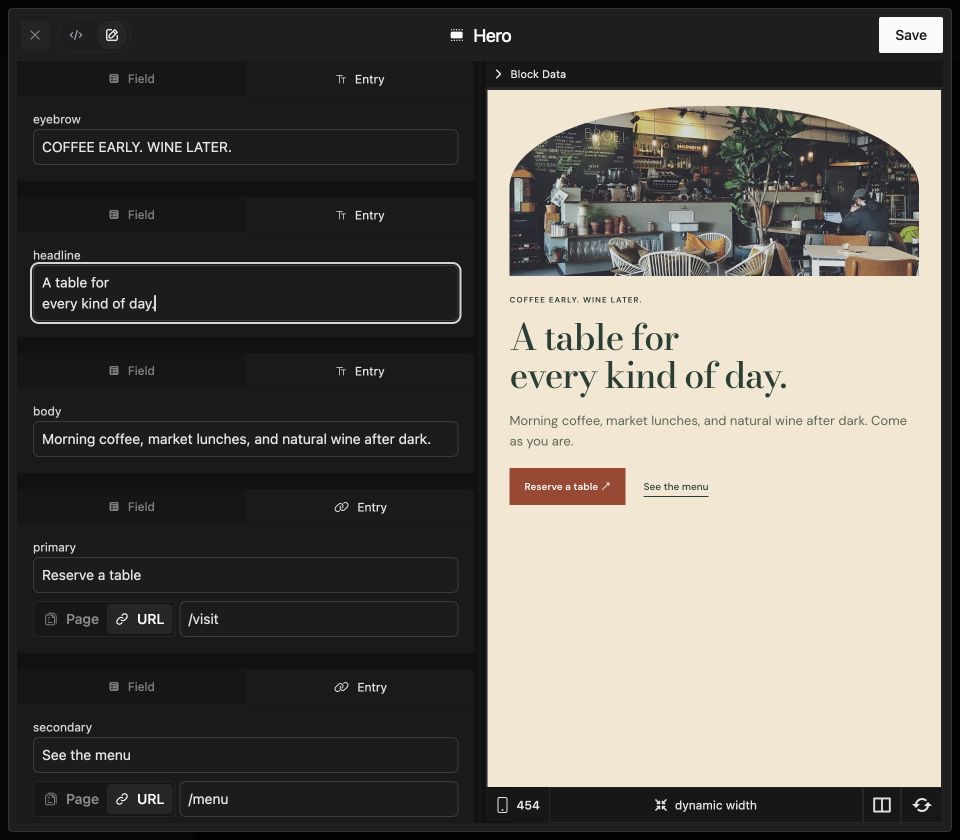
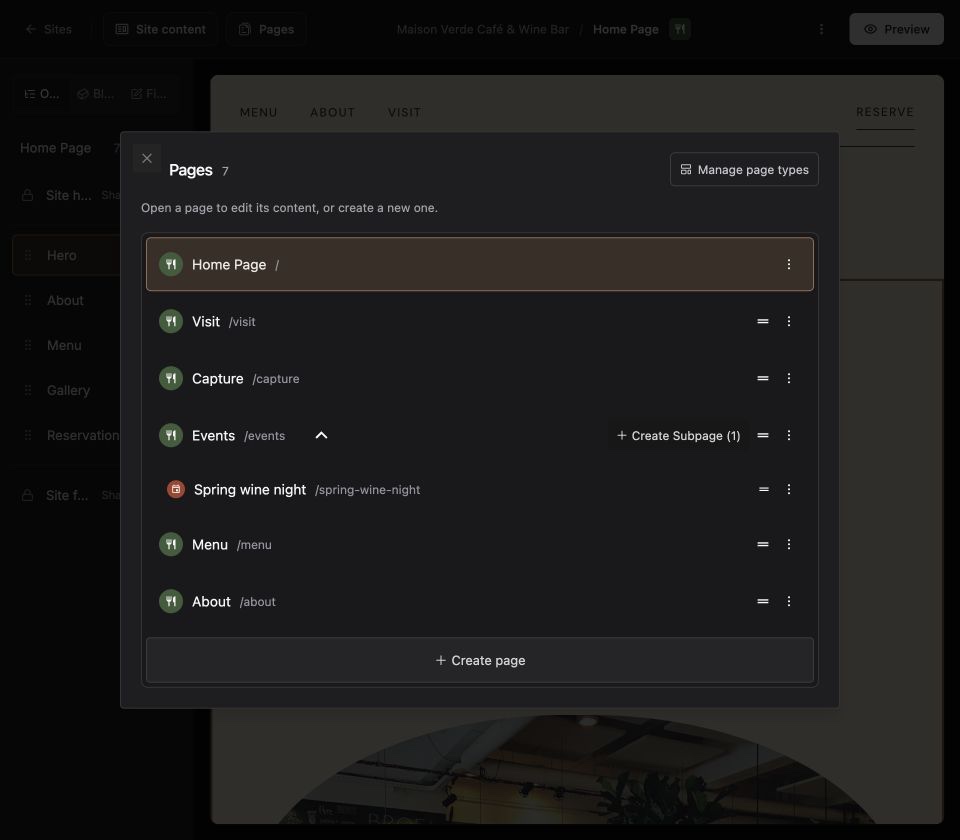
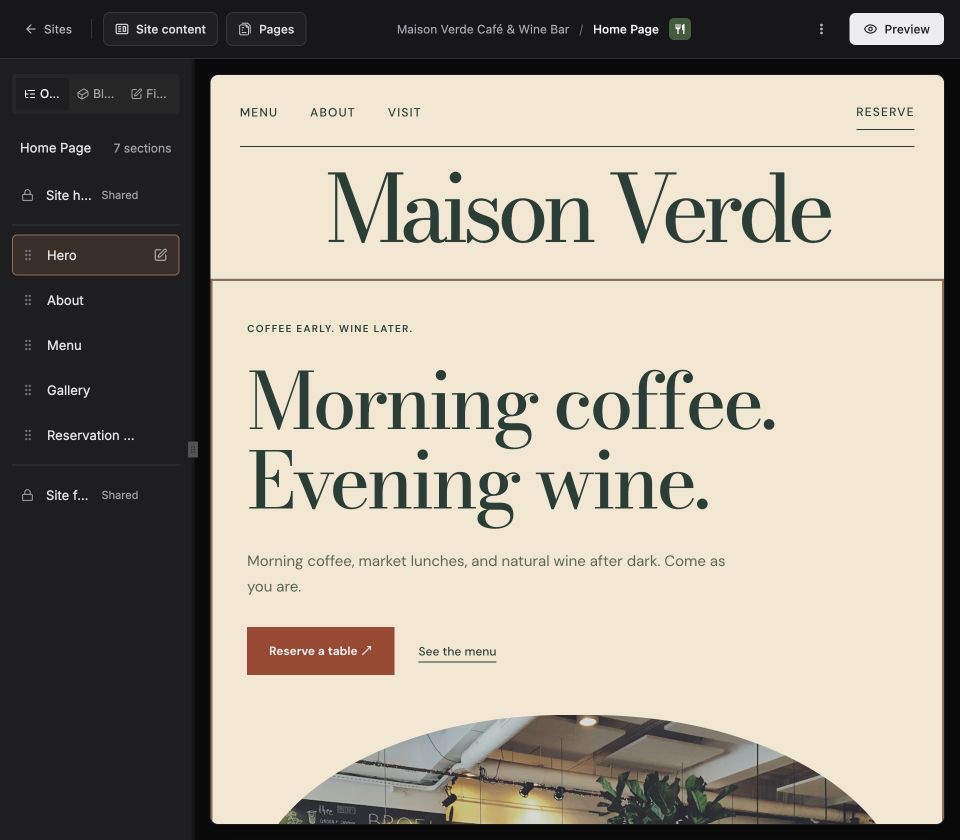
Everything your clients need to keep their site growing.
Clients create new pages from templates you define.
Text, images, links, repeaters—an editor shaped around your content.
Manage SEO, metadata, and content beyond the visible page.
Work together in the same draft. Changes appear for everyone.
Start your next client site.
Set up a workspace, build locally with your agent, and deploy when you’re ready for clients to edit.
Create a new Primo site for my client. Set up a local workspace, help me choose a marketplace starter, and open the Primo editor. Read the Primo docs at https://docs.primo.build before starting.
Open source · MIT license